
Remote support and device management have always been closely related, but they traditionally lived in separate tools. A technician might connect through one platform to solve an immediate issue, then switch to another system to review inventory, deploy updates, or monitor device health over time. That separation can create extra steps and make it harder to see the full context behind a support request.
The gap between these two categories is narrowing as more platforms combine on-demand remote support with ongoing device management features. Understanding what that convergence changes can help IT teams decide whether a combined platform fits their environment or whether separate, purpose-built tools still make more sense.
Why This Convergence of the Two Capabilities?
Remote support and device management solve related but distinct problems. Remote support focuses on an immediate issue on a specific device, while device management is about maintaining visibility and control across a fleet continuously, whether or not anything is actively broken.
You can learn more about the kind of combined capability bridging these two functions through this overview of remote support tools for device management.
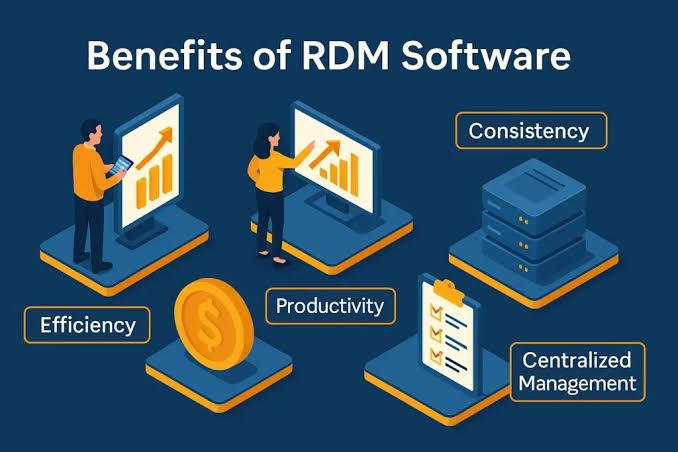
The practical value of combining them comes down to efficiency and context. When a technician is troubleshooting one device, they often need information that normally sits in a device management system, such as patch status, configuration details, operating system version, or recent alerts. Bringing that information into the same workflow reduces tool switching and gives the technician a clearer picture before the remote session even begins.
This can also simplify follow-up work. Instead of resolving the immediate issue and then moving to another platform to schedule maintenance or document the device state, IT teams can handle more of the process from one place.
What is the value Device Management adds to Remote support
Common device management features added to remote support platforms include real-time monitoring of device health, automated alerts, software inventory, patch visibility, and update deployment. These capabilities allow IT teams to move beyond purely reactive troubleshooting and handle some routine maintenance proactively.
For example, a technician may see that low disk space, an outdated application, or a stopped service contributed to a support request. If the same platform can monitor those conditions continuously, the team may be able to identify and address similar issues before users report them.
This broader consolidation reflects the direction of unified endpoint management capabilities, which bring policy enforcement, compliance visibility, security controls, and device oversight into a more centralized operating model.
Remote support platforms that add device management functions extend that same logic into hands-on troubleshooting. The value is not simply having more features in one console. It is having current device context available at the moment a technician needs to make a decision.
Inventory and Asset Visibility
Asset visibility is another important benefit of combining remote support and device management. IT teams need to know which devices exist, what operating systems they run, which applications are installed, and whether any systems are outdated or missing required controls.
Detailed IT asset tracking guidance explains why organizations need a reliable picture of their technology assets rather than relying only on physical inventory records. Effective asset management connects device identity with operating system, software, and security information.
When remote support and inventory data share the same platform, technicians gain useful context before they connect. They may be able to see device type, software versions, recent health information, or patch status without asking the user to collect those details manually.
That can shorten diagnosis time and reveal related issues that were not part of the original request. A problem reported as slow performance, for example, may be easier to understand when the technician can immediately see resource usage, free storage, or pending updates.
Tradeoffs of a Combined Platform
The convenience of combining both functions comes with tradeoffs. A remote support platform that adds device management may not provide the same depth as a system designed specifically for large-scale endpoint administration.
Organizations with advanced needs may require detailed compliance reporting, complex deployment rings, highly customizable automation, or specialized operating system controls. In those environments, a dedicated device management platform may still offer more flexibility.
The opposite can also be true. A large endpoint management suite may provide broad oversight but offer a less streamlined support experience for technicians who spend most of their day connecting directly to users and fixing problems.
Cost structure is another consideration. Combined platforms may price by technician, device, feature tier, or a mixture of those factors. Depending on the number of support staff and managed endpoints, consolidation can reduce cost or simply shift it into a different licensing model.
The practical comparison should therefore include not only subscription price but also administration time, integration effort, training, and the operational cost of switching between separate systems.
Selecting the Appropriate Method for Your Organization
Smaller IT teams often benefit most from consolidation because each administrator may handle support, patching, monitoring, and inventory work. Reducing the number of systems that staff need to learn and maintain can make day-to-day operations simpler.
Larger enterprises may reach a different conclusion. Dedicated teams, complex compliance requirements, large device estates, and specialized workflows can justify using separate platforms for support and endpoint management if each provides deeper capability in its area.
The right choice depends on how much device management depth the organization needs compared with the operational value of having support and oversight in one interface.
A practical evaluation should begin with current workflows. IT leaders should identify which tasks technicians perform most often, which information they need during a support session, and where tool switching currently causes delays. They should also define which device management functions are truly required rather than assuming that a longer feature list automatically creates more value.
Testing a combined platform with representative devices can reveal whether the management capabilities are deep enough and whether the remote support experience remains efficient. The best fit is the one that reduces friction without forcing the organization to give up controls it genuinely needs.
Frequently Asked Questions
If my remote support platform has some monitoring capabilities, do I need a separate device management tool?
It depends on the depth of monitoring, patching, reporting, and automation required. Basic capabilities may be sufficient for smaller environments, while larger organizations may still need a dedicated management platform.
Do more device management capabilities mean remote support platform pricier?
Not necessarily. Pricing varies by vendor, device count, technician count, and feature tier. Comparing total cost across both combined and separate approaches gives a more useful answer than looking only at subscription price.
How well do remote support and device management software for device or solutions from different vendors integrate to meet operating system environment with Android devices?
Cross-platform support varies significantly. Organizations with mixed operating systems should confirm that both remote support and device management features work consistently across every platform they need to manage.