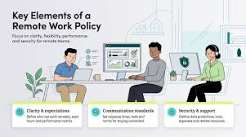

Remote work gives small businesses access to people outside one office, but it also changes how company systems are exposed. Employees may connect from home networks, personal devices, cafés, hotels, or coworking spaces. Files move between locations, business accounts stay logged in for long periods, and managers have less control over the physical environment in which work happens.
The security problem is not remote work itself. The risk comes from weak rules around devices, passwords, file access, and account recovery. Employees may use internal tools, customer platforms, financial services, or external resources where they can read more, but every remote session should follow the same principle: access must be tied to the right person, the right device, and the minimum permissions required for the task.
Start With Individual Accounts
Every remote employee should have a separate account for business systems. Shared credentials make it difficult to remove one person, investigate suspicious activity, or understand who changed a file.
Individual accounts also allow the company to assign permissions by role. A sales employee may need access to customer records but not accounting settings. A contractor may need one project folder but not the entire company drive.
This limits the damage if one account is compromised.
Businesses should also avoid using personal email addresses for company access whenever a managed business account is available.
Require Multi-Factor Authentication
Passwords are more exposed in remote work because employees sign in from more locations and devices.
Multi-factor authentication reduces the risk that a stolen password can be used on its own. It should be enabled for email, cloud storage, CRM systems, finance tools, password managers, and administrative accounts.
Recovery methods need the same attention. If a business account can be reset through a personal mailbox with weak security, the second authentication factor provides less protection.
Administrators should periodically review recovery addresses, phone numbers, backup codes, and registered devices.
Decide Which Devices Can Access Business Data
A small company should define whether employees can work from personal devices or only from company-managed equipment.
Company devices provide more control. The business can require disk encryption, screen locks, updates, endpoint protection, and remote removal of company data if the device is lost.
If personal devices are allowed, the rules should be clear. Employees should not share work profiles with family members, save customer files in personal folders, or disable security updates.
Sensitive work may require stricter device rules than routine communication.
Keep Business Files Inside Approved Systems
Remote teams often create security problems by moving files between email, personal storage, messaging apps, and local folders.
The company should define where business documents belong. Shared files should remain inside approved storage systems where access can be controlled and removed.
Employees should avoid downloading customer lists, contracts, or financial documents unless there is a business reason.
Local copies become difficult to track after they leave the main system. They may remain on laptops long after a project ends.
The fewer uncontrolled copies exist, the easier it is to protect and delete information.
Use Role-Based Access Instead of Giving Everyone Everything
Remote work can encourage businesses to grant broad access because managers cannot easily solve permission problems in person.
This approach creates unnecessary risk.
Access should follow job responsibilities. Employees should receive only the folders, systems, records, and administrative functions they need.
Permissions should also be reviewed when roles change. Someone who moves from finance to operations may still retain old financial access unless the company checks it.
A quarterly access review can identify accounts with privileges that no longer match current duties.
Set Rules for Public and Home Networks
Employees need to understand that not every network should be trusted.
Home Wi-Fi should use a protected router, a strong password, and current encryption. Default router credentials should be changed.
Public networks require more caution because the employee has no control over the infrastructure. Sensitive administration or financial actions should be avoided when the network environment is uncertain.
The company may also use secure remote-access tools or encrypted connections when business systems require additional protection.
The goal is to prevent network convenience from becoming an excuse for weak access practices.
Protect Remote Communication From Social Engineering
Attackers know that remote teams depend on email and messaging. This makes impersonation easier.
An employee may receive a message that appears to come from a manager asking for a payment, password, customer export, or urgent document.
Businesses should establish verification rules for sensitive requests. Payment changes, credential requests, and unusual data transfers should be confirmed through another channel.
Remote employees should know that urgency does not remove the need for verification.
This is especially important when staff rarely meet managers or colleagues in person.
Monitor Important Account Activity
A small business does not need to watch every remote employee continuously. It should, however, monitor events that indicate risk.
Useful signals include logins from unexpected locations, repeated failed sign-in attempts, new devices, permission changes, large exports, new forwarding rules, and administrator account creation.
Employees should also know how to report lost devices, suspicious messages, accidental file sharing, or unexpected login prompts.
Fast reporting can reduce the impact of a mistake.
Build Remote Offboarding Into the Security Process
Remote employees may still have company data after their contract or employment ends.
Offboarding should disable email, cloud storage, CRM, password manager access, internal tools, and third-party platforms on the final working day.
Active sessions should be revoked, shared credentials rotated where necessary, and company devices returned or remotely managed according to policy.
Managers should also confirm that project ownership and business files have been transferred before accounts are closed.
Secure Remote Work Through Consistent Rules
Remote work becomes risky when security depends on individual habits. A better approach is to define the same controls for everyone: individual accounts, multi-factor authentication, approved devices, controlled file storage, limited permissions, network rules, monitoring, and same-day offboarding.
Small businesses do not need to eliminate flexibility to protect remote operations. They need to know who can access company systems, from which devices, and what information each person can reach.
When these controls are built into daily work, remote employees can operate from different locations without turning every laptop or login into an uncontrolled entry point to the business.