
We’ve all been there—waiting for pages to load, watching videos buffer endlessly, or getting kicked out of an important Zoom call. It’s frustrating. In a world that’s increasingly online, we need internet that’s not just fast, but also reliable, accessible, and customer-friendly. That’s why millions of users are turning to T-Mobile internet, not just as a backup, but as their primary connection.
In this guide, we’ll dive deep into what makes T-Mobile internet stand out, break down the latest plans, tech features, performance stats, availability, and even help you decide if it’s the right fit for your digital life. So, let’s get into it.
What Is T-Mobile Internet?
Overview of the Service
T-Mobile internet is a wireless broadband service that uses T-Mobile’s 4G LTE and 5G networks to deliver high-speed internet to homes and businesses across the U.S. It’s part of the company’s Un-carrier strategy to disrupt the traditional cable and DSL internet providers by offering a no-hassle, transparent alternative.
Key Features
- Wireless setup – No cables, no appointments, no stress
- Flat pricing – One set price, no hidden fees
- No contracts – Cancel anytime without penalties
- Nationwide availability – Reaching underserved and rural areas
The Technology Behind T-Mobile Internet
5G-Powered Performance
T-Mobile is the first major carrier to make 5G home internet widely available. Thanks to its low-band and mid-band 5G spectrum, users get a balanced mix of speed and coverage.
- Mid-band 5G (Ultra Capacity) provides fast, consistent speeds ideal for streaming and gaming.
- Low-band 5G (Extended Range) extends coverage to more remote and rural locations.
Equipment You’ll Use
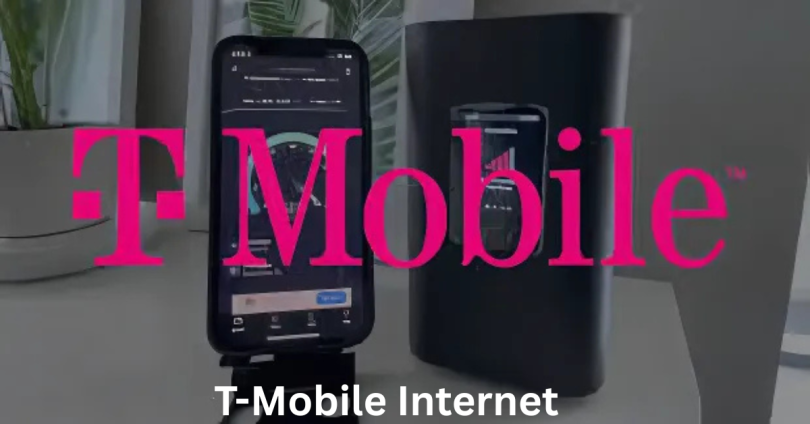
- T-Mobile 5G Gateway – This all-in-one router/modem provides powerful in-home coverage and can be self-installed within minutes.
- App-Controlled Setup – Manage your device with the T-Mobile Home Internet app for speed tests, settings, and support.
T-Mobile Internet Plans and Pricing
Simple, Transparent Plans
T-Mobile keeps things straightforward with one main home internet plan:
- $50/month with AutoPay
- Unlimited data
- No annual contract
- No equipment fees
- Taxes and fees included
If you’re a Magenta MAX or Go5G Plus customer, you may even qualify for exclusive discounts or bundle offers.
Business Plans
For small businesses and remote teams, T-Mobile offers scalable internet solutions with:
- Priority network access
- 24/7 customer support
- Business-grade hardware
Speed and Performance Breakdown
Real-World Speed Test Results
While advertised speeds are “up to 245 Mbps,” actual speeds depend on your location and network congestion.
Based on user data and performance reports:
- Download speeds typically range from 100 Mbps to 245 Mbps in urban areas
- Upload speeds average 15–31 Mbps
- Ping/Latency is generally between 20–40 ms, suitable for video calls and gaming
Consistency and Reliability
- T-Mobile’s network now covers over 300 million Americans with 5G
- Service is most consistent in suburban and metro areas
- In rural zones, speeds may dip during peak hours, but still outperform traditional satellite internet
T-Mobile vs Traditional Internet Providers
Advantages Over Cable and DSL
- No surprise fees – Unlike cable providers, what you see is what you pay
- Faster setup – Get online in under 15 minutes with self-install
- Portability – You can take the gateway with you when moving homes
- No data caps – Stream, download, and game without limits
Head-to-Head Comparison
| Feature | T-Mobile Internet | Cable Internet | DSL |
|---|---|---|---|
| Setup Time | Instant (Self) | 1–3 days | 1–7 days |
| Contract Required | No | Usually Yes | Usually Yes |
| Monthly Cost | $50 | $60–$100 | $40–$70 |
| Portability | Yes | No | No |
| Data Caps | None | Sometimes | Usually |
Who Is T-Mobile Internet For?
Ideal Use Cases
- Remote workers needing reliable video calls and cloud access
- Families with kids streaming YouTube, Netflix, or gaming
- Rural households looking for a better alternative to satellite
- Renters and movers who don’t want long-term contracts
Who Might Need More?
- Heavy gamers needing extremely low latency might want to compare ping speeds
- Tech-intensive businesses may need fiber-grade upload speeds for constant large file transfers
Latest Upgrades and News (2025 Update)

Expanded 5G Network
- As of 2025, T-Mobile’s mid-band 5G now reaches 90% of Americans, and its low-band spectrum covers even more
- Rural expansions are underway to compete directly with satellite providers
New Wi-Fi 7 Gateway (Launched Early 2025)
- Faster internal speeds
- Better range and multi-device handling
- Built-in parental controls and guest networking
Partnership with Starlink
- Rumored testing in areas with very limited 5G coverage
- May allow seamless switch from 5G to satellite during outages
Installation: What to Expect
Step-by-Step Process
- Sign up online – Takes less than 5 minutes
- Receive the 5G Gateway – Shipped directly to your door
- Plug and play – Connect to power and follow the app instructions
- Start browsing – You’re online in minutes
Tips for Best Performance
- Place your device near a window
- Avoid placing near thick walls or metal
- Use mesh Wi-Fi for larger homes
Customer Reviews and Real-World Feedback
What People Love
- “I got rid of my cable bill and saved $40/month.”
- “I moved across the state, plugged it in, and it just worked.”
- “Streaming 4K Netflix with no buffering—it’s a dream.”
Common Concerns
- Speed can vary during peak hours
- Not ideal for multiplayer gaming in rural areas
- Not available in all locations yet
T-Mobile Internet App and Dashboard
Features at Your Fingertips
- Speed tests – Know exactly what you’re getting
- Device management – Block or prioritize devices
- Parental controls – Schedule access and block content
- Network stats – Monitor usage, data flow, and uptime
Easy Troubleshooting
- Restart your gateway with one tap
- Get instant support or schedule a callback
- App updates regularly for performance improvements
T-Mobile Internet for Renters and Travelers
The Perfect Portable Internet
Because there’s no wiring involved, T-Mobile internet is a great option for:
- College students
- Apartment dwellers
- RV users and digital nomads
You can literally unplug your gateway, drive across the country, plug it in, and it’ll connect—assuming there’s network coverage.
No Contracts = Total Freedom
- Rent for a few months? No problem
- Try it out without cancellation fees
- Great solution for temporary housing or relocations
This isn’t just content, it’s a conversation you need to be part
Best Budget Smartphones for Stunning Value and Style
Roaming Internet Plans: Stay Connected Wherever You Go
Cox Cable and Internet: Fast, Reliable, Affordable Service”
Call Spectrum Internet Customer Service Number for Fast Help
What to Know Before You Switch
Check Availability
Not every area supports T-Mobile internet yet. Use their online tool to verify service at your address. Rural and high-demand metro areas may face waitlists.
Compare with Your Needs
- Streamers and casual gamers will love it
- Large families should check if the network can support 10+ devices at once
- Creatives and professionals transferring large files may still prefer fiber
T-Mobile’s Customer Support Experience
What Sets Them Apart
- U.S.-based support team
- No long phone trees—talk to a real human
- Support available through chat, app, and phone
- Transparent policies and billing
Community Support
- T-Mobile Community Forum with thousands of active users
- Tips and tricks from other home internet users
- Frequent updates from staff moderators
Final Thoughts
In a world where staying connected is everything, having reliable, fast, and flexible internet is no longer optional—it’s essential. T-Mobile internet fills that gap beautifully by offering an easy, wireless solution that doesn’t trap you in contracts or surprise you with hidden fees. Whether you’re working remotely, streaming your favorite shows, gaming with friends, or just trying to stay in touch with loved ones—T-Mobile internet delivers the performance and peace of mind you need.
FAQs
Is T-Mobile Internet Really Unlimited?
Yes. There are no hard data caps, and no throttling unless there’s extreme congestion, and even then, it’s brief.
Can I Use My Own Router?
Yes, but the T-Mobile 5G Gateway includes router functionality. However, advanced users can bridge it to a personal router if preferred.
Does It Work for Online Gaming?
Yes, especially in urban areas with good coverage. For rural zones, latency may vary, so test your speeds before committing fully.
Can I Use It for Streaming?
Absolutely. 4K, YouTube, Netflix, Hulu—T-Mobile handles it smoothly. Users report watching multiple streams simultaneously without issues.
What Happens If I Move?
You take it with you. Just plug it in at your new location (after checking availability), and you’re good to go.